What you need
macOS or Linux
Use a laptop or tablet for the Web UI. Phone layouts are not supported yet.
A little terminal help
Installation is from a Git checkout today. There is no PyPI or Homebrew release yet.
One supported AI agent
Kiro CLI, Codex, or Claude Code are core. OpenCode and pi are preview integrations.
Step 1
Install from the public repository
These commands clone StudyLoop, install its tools and agent definitions, create your local configuration, and check the setup.
git clone https://github.com/NetDevAutomate/StudyLoop.git studyloop
cd studyloop
./scripts/install.sh
studyloop setup
studyloop doctor --fix
Stop when the core checks pass
Optional tools can wait. One working agent is enough to learn whether StudyLoop helps you.
Step 2
Start the browser workspace
studyloop web- 1
Open the local address
Keep the terminal running. StudyLoop needs its local server while the Web UI is open.
- 2
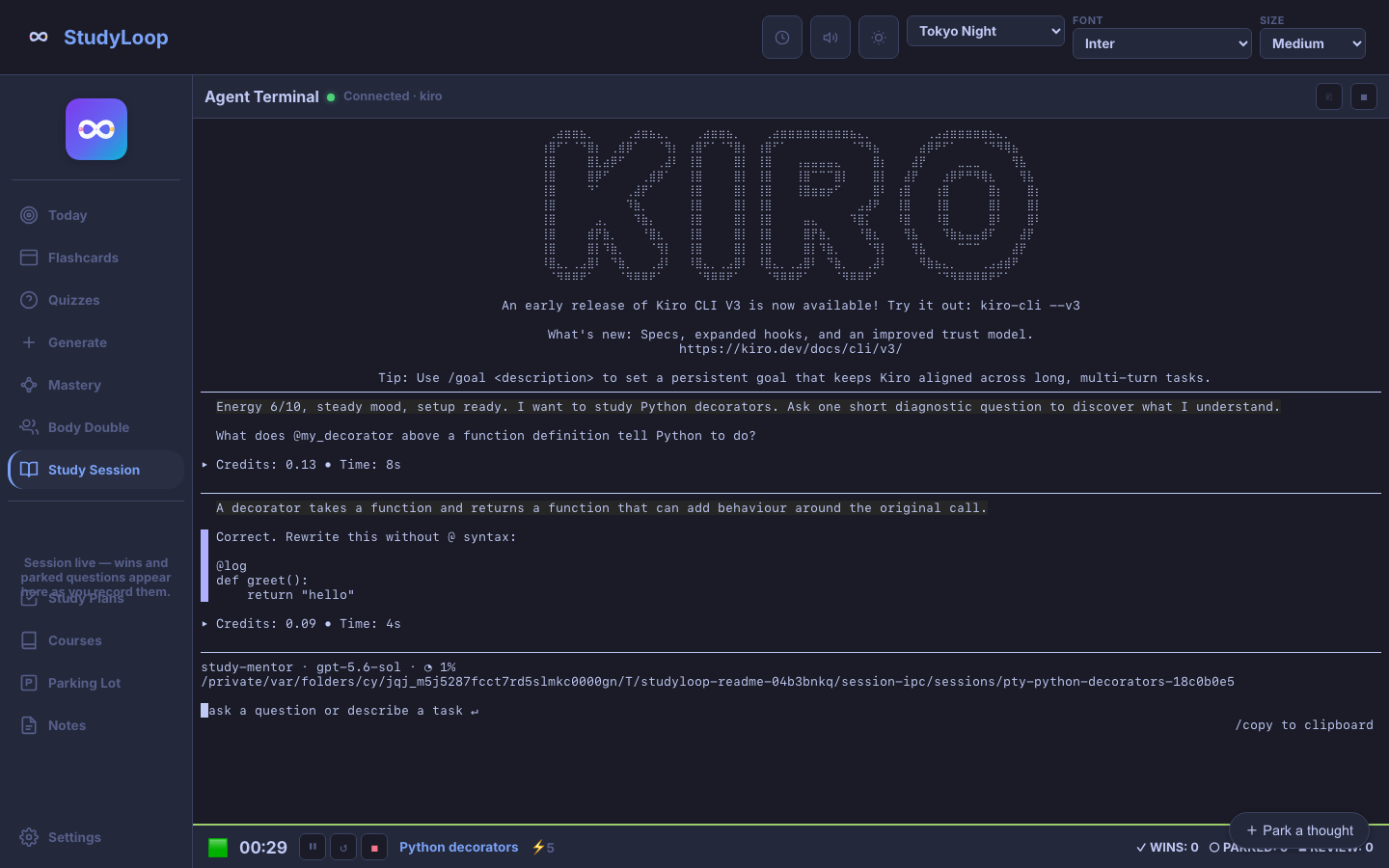
Choose Study Session
Enter one topic, choose your installed agent, and set your energy from 1 to 10.
- 3
Answer one real question
The mentor should ask rather than lecture. Think aloud; “I am not sure” is useful information.
- 4
End deliberately
Use the end control so StudyLoop can keep a summary and leave a clear return point.
Local-first is not the same as fully offline
StudyLoop keeps its database, plans, and generated materials on your machine by default. Your chosen AI agent may still send conversation content to its model provider, whose privacy and billing terms apply.