Open the local workspace
studyloop webOpen the address printed in the terminal and leave that terminal running. The interface is local-first, but it is not an offline web app: the server must stay reachable.
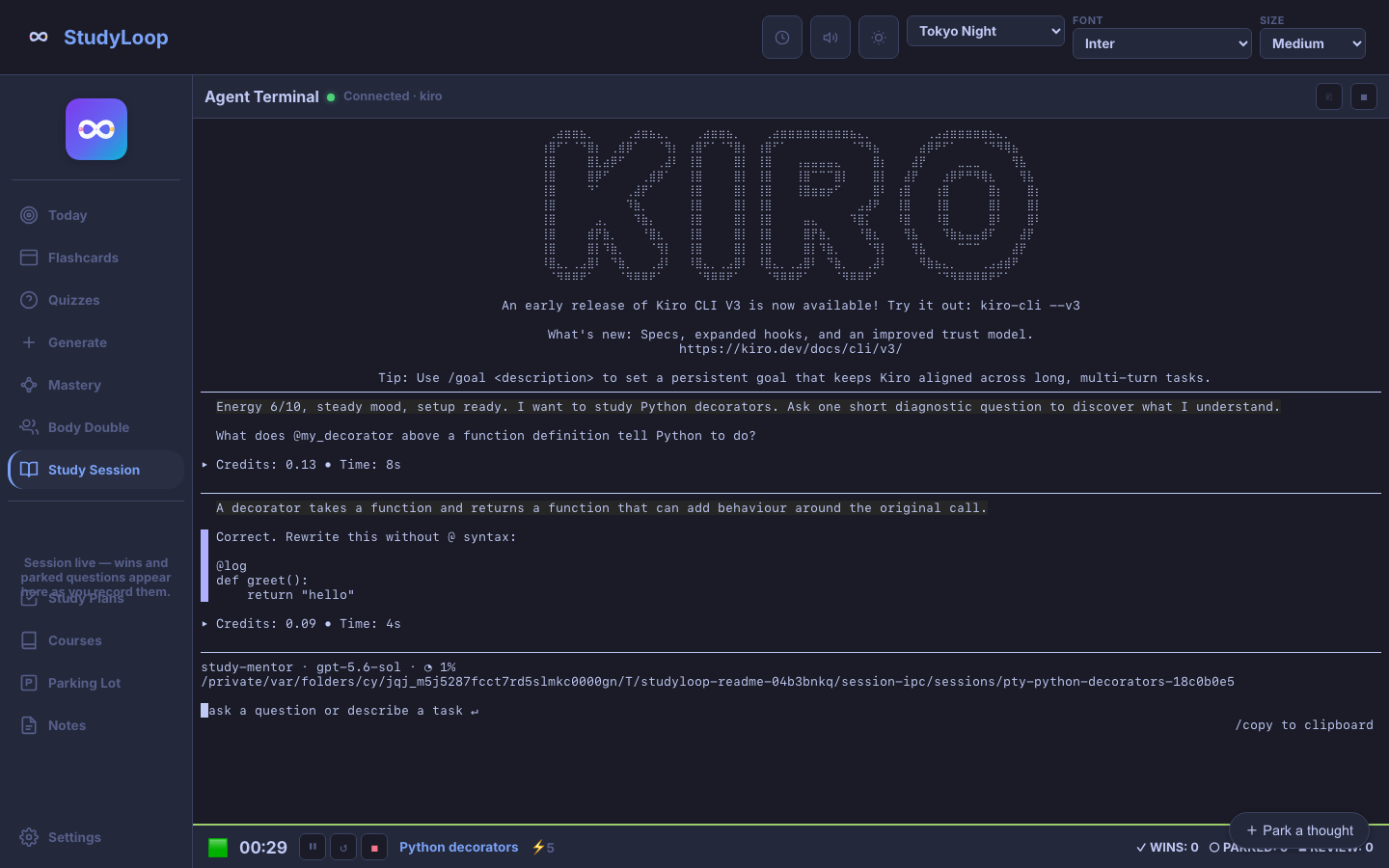
When you need to understand or practise
- 1
Enter one topic
Use a concept, problem, or skill—not a whole curriculum.
- 2
Choose an installed agent
StudyLoop shows the agents it can launch on your machine.
- 3
Set energy honestly
Low energy should produce shorter chunks and more scaffolding, not judgement.
- 4
Start and think aloud
Answer the mentor in the terminal or chat surface. Park tangents rather than chasing them.
- 5
End from the status bar
This gives the session a dependable ending and preserves a useful return point.
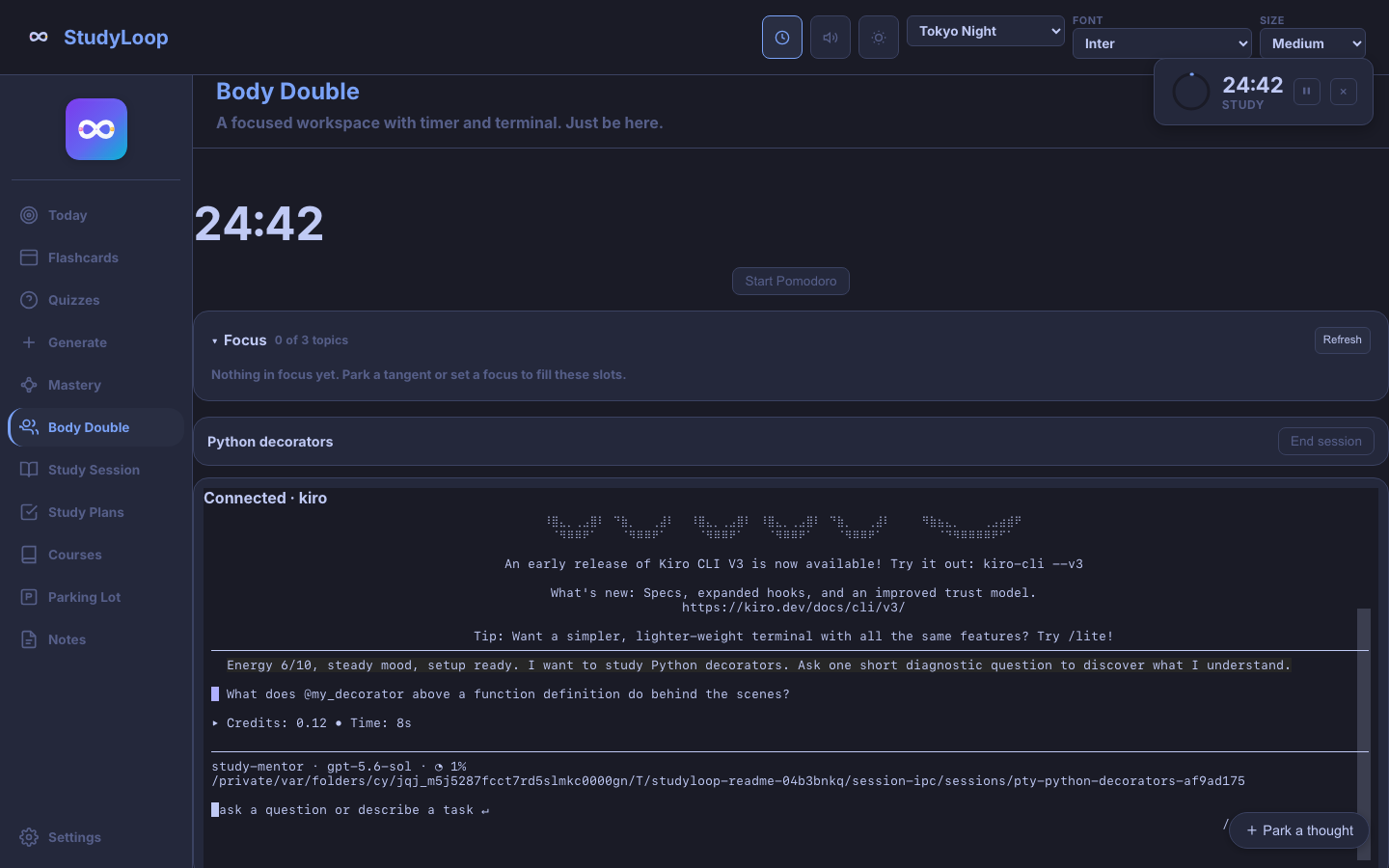
When beginning or staying beside the work is hard
- 1
Name a concrete activity
“Trace one decorator call” is easier to start than “learn Python.”
- 2
Set a time box only if it helps
The Pomodoro is available, not compulsory.
- 3
Keep up to three focus items
The limit makes the current work visible without building another backlog.
- 4
Park thoughts safely
Capture a tangent in one line and come back to the current task.
A few boundaries prevent confusing surprises
Your local data remains readable
Study plans are Markdown and study records are kept locally. Optional exports are opt-in.
The agent has its own provider boundary
A cloud-backed agent may send your conversation to its provider. Check that tool’s privacy and billing settings.
Run the health check before changing configuration
studyloop doctor --fixConfirm the chosen agent launches normally from its own command line, restart studyloop web, and try one small session. The full troubleshooting guide remains in the public repository.