Learn it well enough to explain it.
StudyLoop is a study workspace with an AI mentor. Bring a topic you find difficult, talk it through, and try a small exercise. The aim is to build your understanding, not just get an answer.
Made with neurodivergent learners in mind, and for anyone who finds studying difficult. Free, open source, and non-commercial.
Runs on your computer. Setup needs a terminal and a supported AI agent.
Created by Andy Taylor and Reece Taylor.
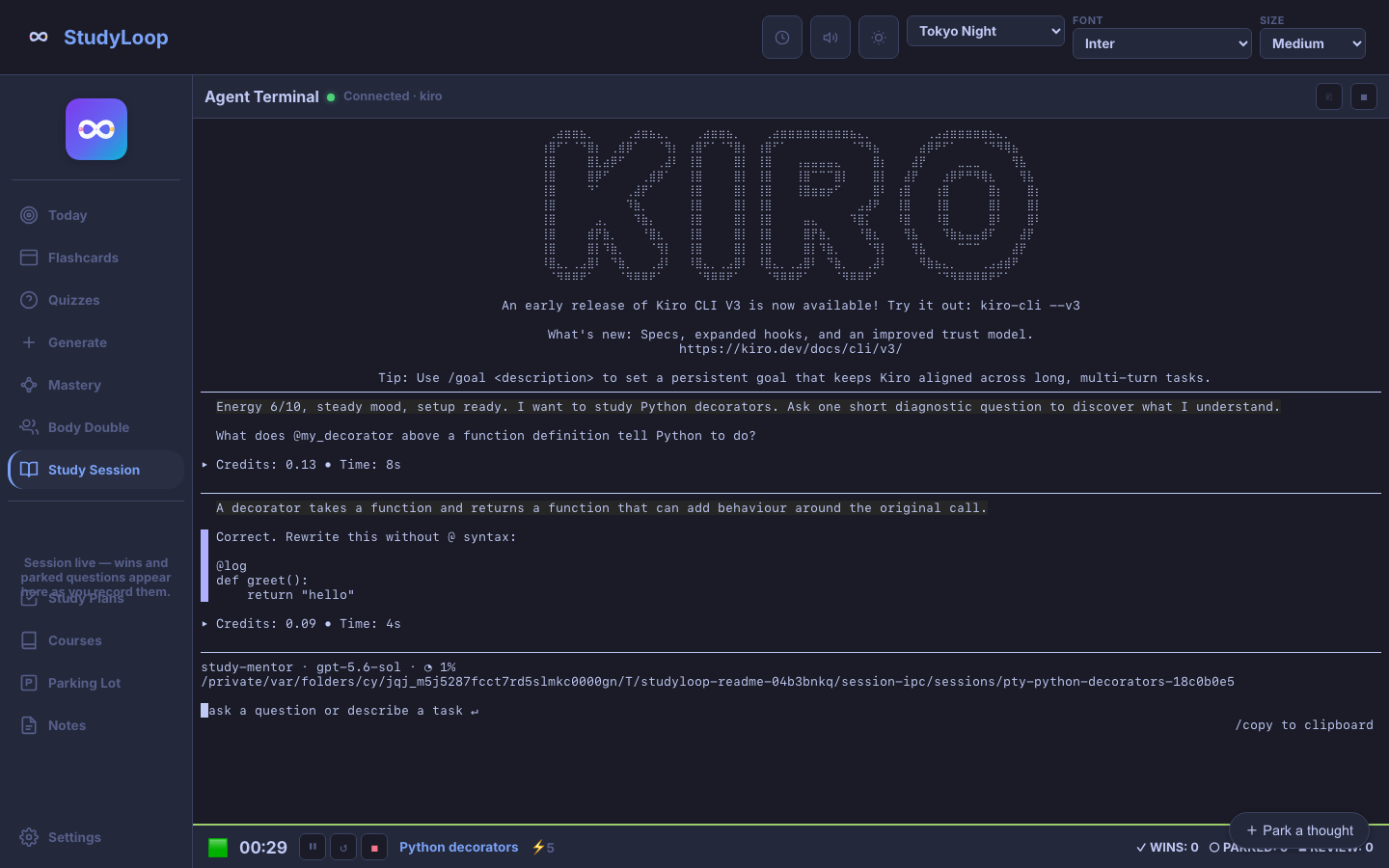
Where would you like to start?
- Understand a topic
- Study Session asks one question at a time and gives you room to work it out.
- Get on with a task
- Body Double offers a timer and quiet company. Park a thought without changing tasks.
- Choose what to study next
- Today suggests one action using your time, energy, and recorded study history.
A mentor, rather than an answer machine
Usually, you explore the concept before writing code. Sometimes a short example or guided exercise is a better starting point, especially when it connects to something you have studied before. Explanations and diagrams can follow from what you discover.
Your explanations, practice, and honest struggles give the next session something to work with. Reading a note or ticking a box is not, by itself, evidence that you understand it.
Before you install
Start with the basics. Installation is from source on macOS or Linux. The app supports laptop and tablet layouts and needs its local server running.
Know where your data goes. StudyLoop records stay local by default. Your AI provider’s terms still apply. Obsidian export is optional; xTiles uses your own assistant’s connector.